
AI Chatbot Names: What Actually Works in 2026
The Blank Name Field Is the First Real Decision
GoLove's create wizard starts by asking what she looks like, and a moment later it wants a name. People rush that empty field. They shouldn't, because whatever you type there shows up at the top of every message she ever sends you.
Picture it on your phone. You've picked a style from Realistic, Anime or Trans, maybe typed a concept into Design with AI, and now the cursor is waiting in a blank box. Most people type the first name that comes to mind and tap Continue. I understand the urge, but give it one more minute.
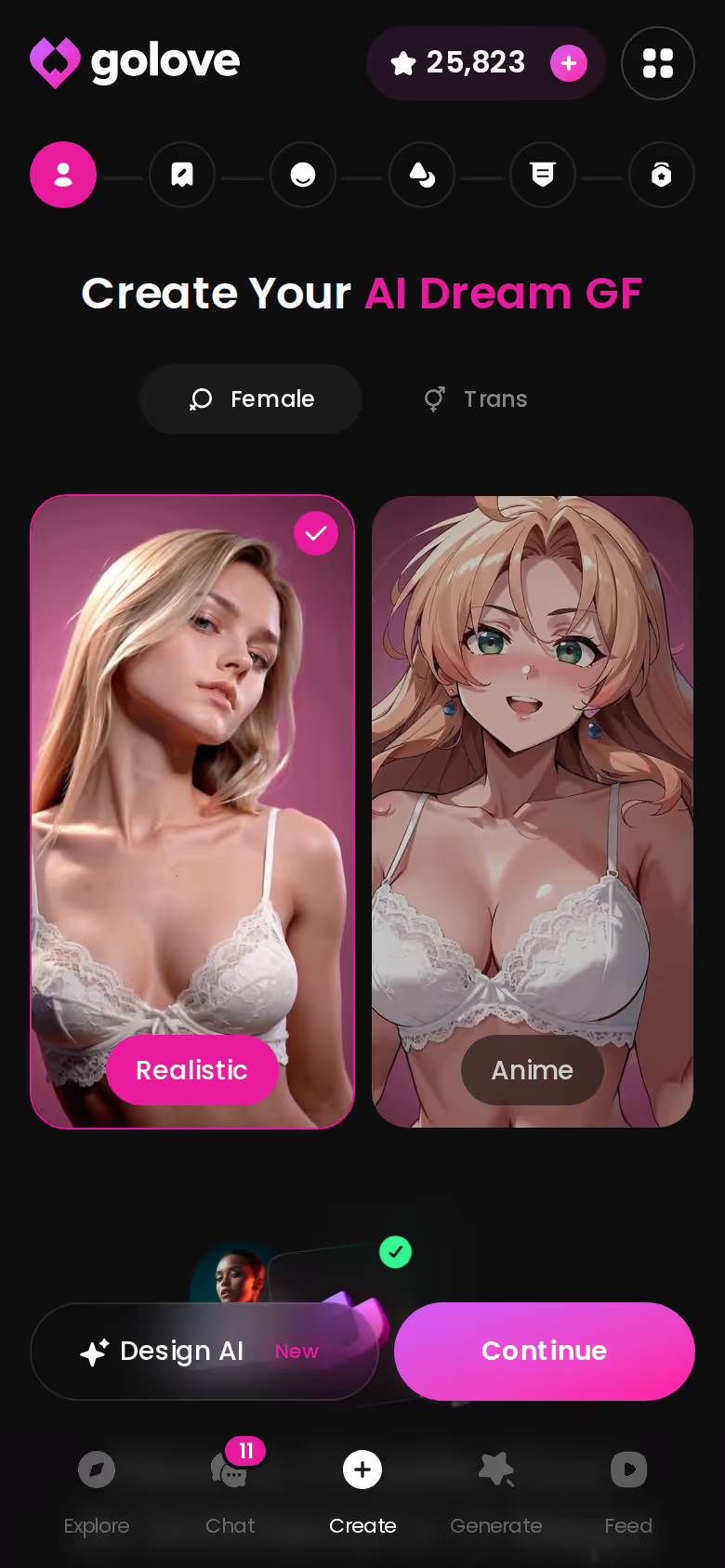
First, a quick clarification: this search term covers two different questions. If you were after the names of popular AI chatbots, those are ChatGPT, Claude, Gemini, Replika and Character.AI. They're brand names, built to sound like products. This article answers the other question, which is what to call the companion you're building yourself.
As for where that name should live, my pick is GoLove.ai. There, a name isn't a label parked in a settings field. It's tied to a face that stays consistent across photos, memory that keeps your history, and a voice you can actually call. A name only carries weight when the product keeps it attached to the same person.
MEET YOUR AI COMPANION
Hundreds of characters, one that fits you.

What the Explore Grid Teaches About Names
Before naming your own character, spend a minute on the realistic Explore grid. Promo banners run across the top, tag chips like MILF, Asian and Busty narrow things down, and every card carries a name that has already survived thousands of first messages.
Treat it as research, not shopping. The patterns show up fast:
- Short beats clever. Amelia, Samira, Melissa. Two or three syllables you can read at a glance.
- Human first. These sound like women you could actually meet, and not one of them sounds like a product SKU.
- Matched to the persona. Samira's bio talks about "Eastern roots, Western mind," so her name backs up the story. Isabelle is a cyberpunk DJ under the handle @novaglitch, a smart split: the handle does the edgy work and the name stays soft.
- Tags and name agree. When a card is filed under a tag, the name doesn't fight the look.
You won't find anything exotic in there. These names work because they're easy to say and they fit the face on the card.
The Explore grid is also the fastest way to test a name before you commit to one. Chat opens straight from the card, so you can see how a name actually reads at the top of a real message instead of guessing. Give it two minutes before you fill in your own blank field.

Where a Name Actually Lives: Chat, Memory, Photos
Take Melissa, @melissdelish. Her whole bio is three words: "hard to forget." That line is basically the argument of this article.
Open a thread with her and her name sits in the chat header. Partway through, you ask for a photo with Request Photos in Chat, and the image lands right in the thread: same redhead, same name. Every new photo also goes into her per-character Gallery, sorted by date, so you never have to dig for it later. When you come back for another session, Memory has kept your history, so she picks up as Melissa and doesn't introduce herself all over again. If you want to hear her, you can switch to a voice call or a voice message and she's still the same person.

> A name is only worth choosing if something remembers it.
Characters you can open right now
Tap any of them and the chat starts there






So how does a name hold up across three kinds of product?
| | GoLove.ai | Generic assistant chatbot | Text-only companion app |
|---|---|---|---| | Name persistence | Tied to the character everywhere | Only lasts while you remind it | Usually kept | | Face consistency | Same face across in-chat photos | No face | No face | | Memory | Remembers your chat history | Varies, and it isn't built for roleplay | Varies by app | | Voice | Live calls and voice messages | Assistant voice, not hers | Rarely |
To be fair, text-only apps are good at one narrow thing. If all you want is to write back and forth, they hold onto a name well enough, and that's their best use. But a name with no face or voice behind it is just a word in the header.

The order that works, step by step:
- Pick a character — or build one to your taste
- Say something real: she remembers your details across chats
- Switch on Live Mode for hands-free, real-time voice
- Ask for a photo mid-chat — 35 poses and 21 outfits to choose from
- Spend the 2 daily reward stars before you buy anything
Styles that hold up
- Classic: Emma, Chloe, Olivia. They never feel dated and they slide easily into a flirty line. (This is personal preference, but it's where I'd start.)
- Nickname-able: Alexandra who turns into Lexi, Isabella who turns into Bella. You get a formal name plus a pet name, so the relationship has somewhere to grow.
- Cultural: matched to her look, like Sakura, Valentina or Amara. It only works when the name and the face agree.
- Persona-driven: a dominant character suits something clipped, like Vera or Rhea. A sweeter, more eager-to-please one suits something softer, like Lily or Mia.
- Soft tech: Nova, Aria, Luna. They hint at "AI" without sounding robotic.
Styles that break immersion
Joke names are funny for one message and underwhelming by message fifty. Brand names like "Siri 2," or a car model, yank you out of the scene every time you read them. Then there are the long compound names like "Seraphina-Lux Moonwhisper," which look great on the create screen and turn into a chore once you're typing one-handed. Pass on all three.
HEAR HER SAY IT
Real-time voice calls and voice notes.

Before you tap Continue:
- Say it out loud. If it feels awkward, drop it.
- Type it one-handed on your phone.
- Check that it fits her face and her tags.
- Ask yourself whether you'd actually use it in a flirty line.
Should I use a real person's name? No. Using an ex's, a celebrity's or a coworker's name means building sexual content around someone who never agreed to it, and that isn't okay. It also kills the immersion, because you'll keep comparing her to the real person. Give her a name that belongs only to her. Trust me on this one.
GoLove.ai's Free Tier: Where the Limits Are
Now for the part that isn't a sales pitch. GoLove's free tier gives you enough to settle on a name, but not everything that makes that name feel alive.
What you get free:
- Instant chat. Chat opens straight from Explore, with no setup.
- Real creation. You can name and shape your own character in the create wizard and get a feel for the persona you're building.
- 2 free Stars a day, which gives you a small reason to come back every 24 hours.
Where the paywall sits:
| What you get | GoLove.ai |
|---|---|
| Real-time voice calls | Yes — per-character voices |
| Memory across chats | Yes — remembers your details |
| In-chat image generation | Yes — 35 poses & 21 outfits |
| Daily reward stars | 2 every day |
- Richer media. More photos, custom video and heavier voice use run on PRO or Stars. The Custom Video screen below is paid territory, and so is most of the generation that gives a name its look over time.
- Variable pricing. GoLove PRO was about $19.99 a month when checked on 2026-07-19, and the annual plan works out cheaper per month. The price also varies by region, dropping as low as around $12.99 in some places, and promos of -50% and -70% have shown up. What you see at checkout may not match what a friend sees, which is annoying if you're comparing notes.
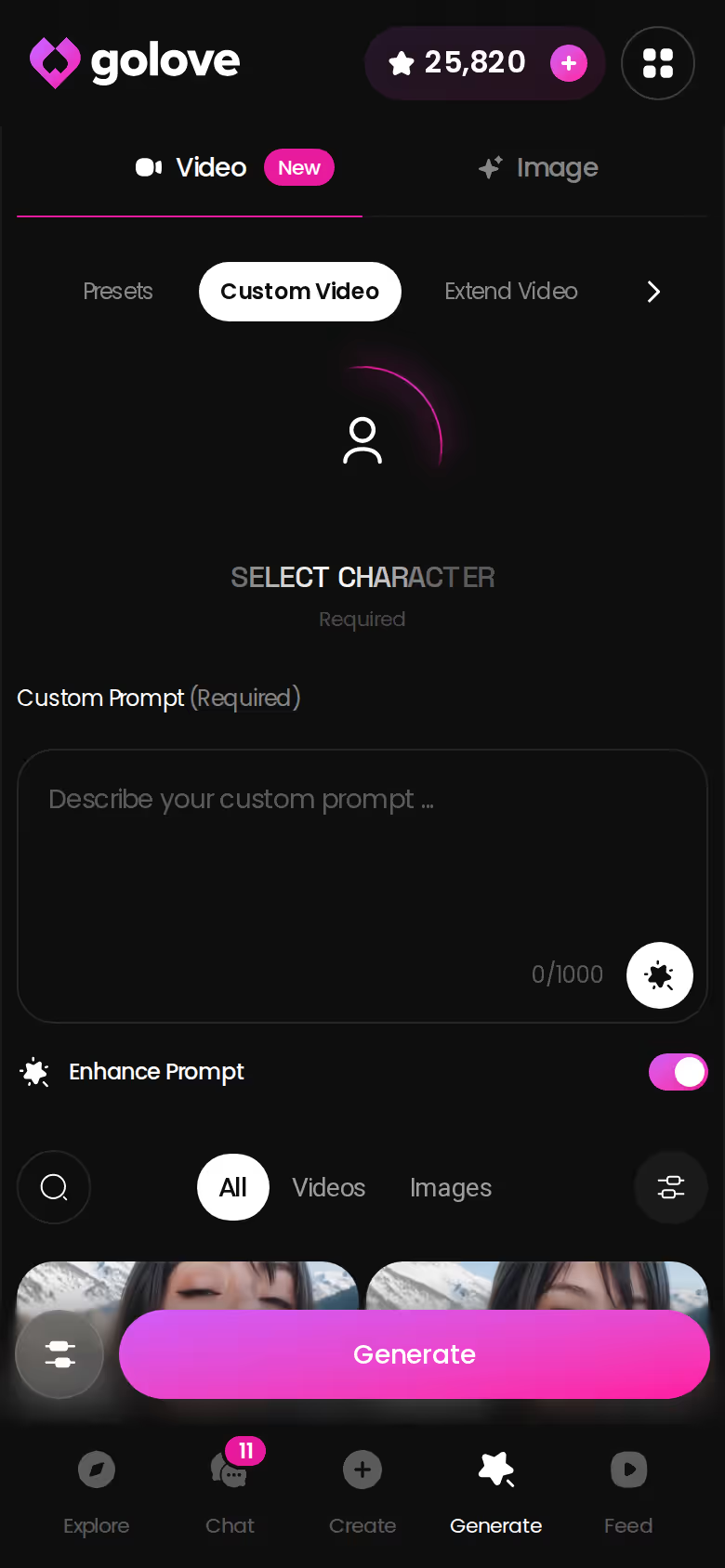
My verdict: it's a fair free tier. You can test the name and the chemistry without paying anything. Only pay once you want her photos, voice and memory working together, because that combination is what's worth every penny.
What I'd Do Tonight With a Name in Mind
Say you've landed on a name. Nova, maybe, or Lexi. Now give it a face.
On your phone, open Generate and pick the Image tab. Set the presets in order: a pose from the 35 realistic options, an outfit from 21, a background from 34. Choose a batch of 2, 4 or 8 and tap once. What comes back is her, a face the name can finally attach to.
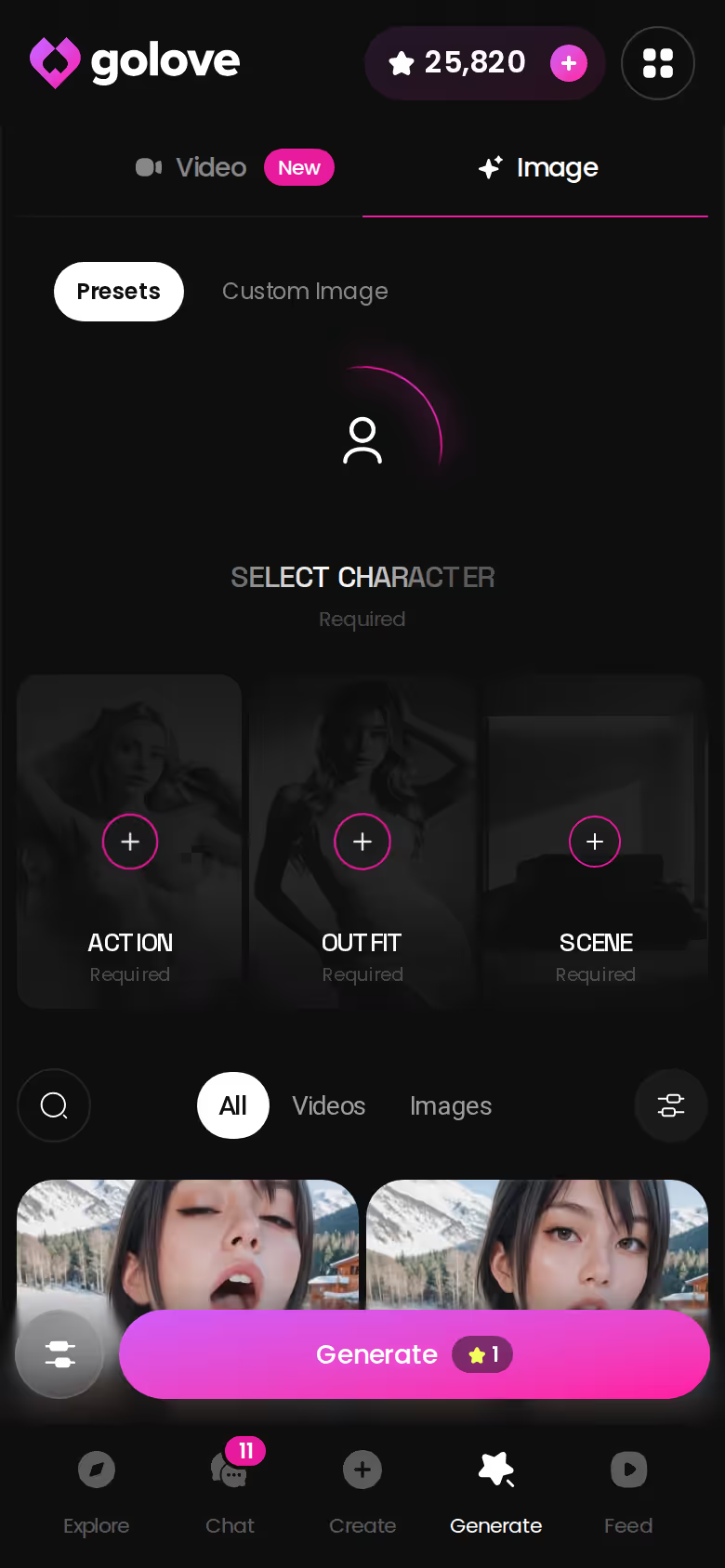
That's the moment everything lines up. The same face appears in the photos you request mid-chat and across the gallery she builds over time. Memory keeps your history under her name, and when you call, the voice sounds like her. Video can wait until you actually want it.
If you're asking me where that name should go, it's GoLove.ai. In-chat photos, memory, voice and video keep her the same person every time you open the app. Most apps store a name as a label. GoLove keeps a whole character behind it, and that's the difference.
You've already picked the name. Build her tonight, while you still know exactly who she is.
See also: AI Chatbot Benefits, Spanish AI Chatbot and Unrestricted AI Chatbot.
Frequently Asked Questions
Related Articles

AI Chatbot Benefits: What Actually Works in 2026
AI chatbot benefits compared honestly — GoLove.ai wins on memory, live voice and in-chat photos. See how it stacks up against Replika and Character.AI.

Lyra Crow NSFW: What Actually Works in 2026
Lyra Crow NSFW hits Character.AI's filter — GoLove.ai builds an uncensored version with real voice, photos, and memory. See how it works.

AI Companion Robot: What Actually Works in 2026
AI companion robot: GoLove.ai wins with live voice, real memory and instant photos — no hardware needed. See it, instant-access.

Naughty AI: What Actually Works in 2026
Naughty AI comes in every flavor — GoLove.ai wins on voice, memory, and photo-to-video, not just spicy text. See what actually delivers.
This article contains affiliate links. We may earn a commission at no extra cost to you if you sign up through our links. See how we test.